EMAIL ORDER AUTOMATION FOR DISTRIBUTORS & WHOLESALERS
Less retyping. More time for your customers.
Turn emailed purchase orders into structured orders your team can review and pass to your business systems. Read email text and supported attachments, match products to your catalog, and check uncertain details in review.
14-day trial. Card collected at checkout; no charge until the trial ends. Cancel before then to pay nothing.
CUSTOMER EMAIL · PO-1042
“Please send 12 boxes of paper cups PC-250 and 6 packs of matching lids. Thanks.”
| Product | Quantity | Unit |
|---|---|---|
| Paper cups · PC-250 | 12 | box |
| Matching lids · check product | 6 | pack |
Review question: which lid SKU fits? Keep boxes and packs as ordered; do not guess a conversion.
THE REEL — 30 SECONDS
Watch an email become data.
Keep the orders. Lose the retyping.
Sales order entry starts with the emails your customers already send. Give them your Bouncebox address or forward orders there yourself — forward from Gmail or any provider, or automate it with Zapier; see the forwarding guide. Your team gets a structured starting point instead of starting from a blank form.
READ. MATCH. REVIEW. SEND.
Turn purchase-order emails into orders ready for review.
Read
Send or forward purchase orders to your Bouncebox address. Extract order details from email text and supported attachments.
Match
Compare the requested products with your SKU catalog. Product names, codes and units give your team context for checking the match.
Review
Use the review queue to check products, quantities and units against the source before approving delivery. AI extraction can make mistakes.
Send
Deliver structured data to a configured webhook, connect Zapier to trigger on new and processed mail, or send a formatted reply to the address you choose.
USE CASE 01 — DISTRIBUTORS & WHOLESALERS
Orders reach your ERP before your ops team has opened the email.
Forward the purchase order — or just have suppliers write to your BounceBox address. Every line item is matched against your SKU catalog, quantities and totals are normalized, and the result is POSTed to your ERP webhook with an HMAC signature. Review ambiguous matches in the dashboard before anything ships.
{
  "order_ref": "PO-8841",
  "customer_name": "Harbor Foods Ltd",
  "line_items": [
    { "sku": "CB-12-500", "qty": 48,
      "confidence": 0.97 },
    { "sku": "JUG-2L-WHT", "qty": 120,
      "confidence": 0.93 } ],
  "currency": "USD", "total": 4180.00
}
USE CASE 02 — SAAS & FINANCE TEAMS
Invoices become rows in your database. No OCR pipelines, no copy-paste.
The invoice-led Starter plan is the cheap way in: forward supplier invoices, get exactly eight structured fields back — supplier, number, country, dates, currency, amount, description — by webhook or formatted reply email. PDF attachments included.
USE CASE 03 — SUPPORT & OPS TEAMS
Free-form support mail in. Structured tickets out — per email or as a daily digest.
Customers write to your BounceBox address however they want — mixed text, screenshots, logs. A custom schema extracts the fields your tracker needs, and results arrive per email or batched into one end-of-day digest: a formatted email, or CSV and Excel attachments ready for import.
Custom schemas require Pro or above. Extraction can be incomplete — check results against the original.
Subject: BounceBox digest — 14 result(s)

--- "App crashes on export" · jane@acme.co
{ "type": "bug", "severity": "high",
  "summary": "Export dialog fails at 90%" }
--- "SSO login loop" · ops@delta.io
{ "type": "bug", "severity": "medium",
  "summary": "Redirect loop after Okta sign-in" }

Attachments: tickets.csv · tickets.xlsx
PURCHASE-ORDER PROCESSING
Different formats. One place to review.
Work with email bodies, PDF orders, spreadsheets and supported scans or photos. File availability depends on your plan and the input format. Handwritten order processing depends on legibility—not every photo or note can be read reliably.
CATALOG CONTEXT
Match products to your catalog.
Maintain your SKU catalog and workspace-wide aliases for alternate product names. Review the selected product against what the customer actually asked for. Similar wording is a useful clue, not a correctness guarantee.
Check uncertain details before they move on.
A familiar product name can hide a different pack size. A cropped photo can hide a quantity. Use the review queue to compare the result with the source and correct product matches before approving delivery. Approval means ready to send—not fulfilled, in stock or accepted by your ERP.
Send the reviewed order where your team needs it.
Choose a formatted email reply, connect Zapier to trigger on new and processed mail in 7,000+ apps, or configure a webhook to connected tools. Your team controls the destination and the receiving system handles what happens next. No native ERP integration is implied.
For your integration team
Webhooks send structured JSON by HTTPS with an HMAC-SHA256 signature. Configure an endpoint that accepts the payload and verifies the signature. Delivery does not itself create a stock reservation or a fulfillment action.
WHAT CUSTOMERS SAY
Teams that stopped retyping orders.
“We forward supplier invoices to our Bouncebox address and get structured totals, references and line items back. It removed the manual keying between our inbox and our invoice workflow.”
“Our customers kept emailing orders the way they always have. The difference is we stopped retyping them — the review queue shows the order next to the original email.”
“The review step is what sold us. Quantities and units get flagged against the source, so a wrong pack size gets caught before it reaches our system.”
“The SKU aliases alone were worth it. Customers write their own product names on purchase orders and Bouncebox still matches them to our catalog — we just check the flagged lines.”
“Most of our orders still arrive as PDF attachments on an email. We forward them as-is and the reply that comes back is structured enough to import — the morning order pile is done before the warehouse opens.”
“Webhook delivery means parsed orders land straight in our systems. We only look at the fields Bouncebox flagged — the rest arrives already structured.”
BOUNCEBOX MOBILE
Approve orders from anywhere.
The BounceBox app puts your inbox, mailboxes and SKU catalog on your phone. Get a push when an order needs review, check it against the source email, and approve it from wherever you are.
- — Push alerts when an order needs review, processing fails or quota runs low
- — The same review form as the dashboard — lines, units, customer account
- — Edit mailboxes and SKUs on the go

 COMING SOON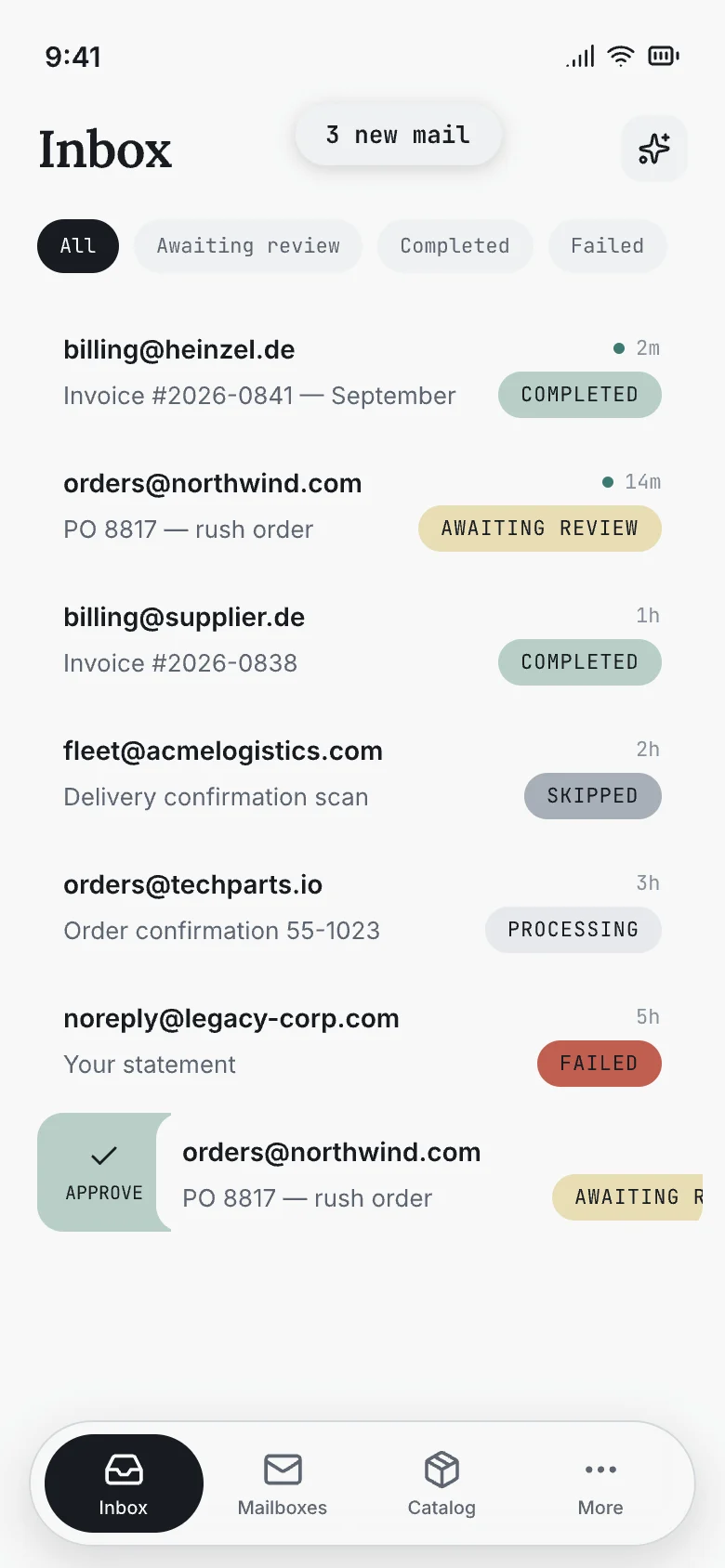
PRICING
Plans for your order volume.
STARTER
$29/month
Email orders and invoices for smaller teams.
- — 100 emails / month
- — 2 mailboxes
- — One output action: reply or webhook
- — Invoice + order templates
- — SKU catalog and order matching
- — PDF and supported image attachments
- — 14-day raw-input retention
PRO
$99/month
Order matching and review at higher volume.
- — 1,000 emails / month
- — Unlimited mailboxes
- — Both outputs: reply and webhook
- — SKU catalog and order matching
- — Custom schemas and body templates
- — PDF, supported images and spreadsheets
- — 30-day raw-input retention
CUSTOM
Custom
Talk to us about higher-volume requirements.
- — Custom email volume
- — Dedicated inbound subdomain
- — SLA and DPA by agreement
- — Priority support
14-day trial. Card collected at checkout; no charge until the trial ends. Cancel before then to pay nothing. Full plan details
Questions, answered.
Do our customers need a new ordering tool?
No buyer portal is required. Customers can email your Bouncebox address directly, or your team can forward orders to it. This is not a connection that reads your existing Gmail or Outlook mailbox.
Which order formats can we use?
Email text, PDF purchase orders and supported images are supported. Spreadsheets require Pro or above. Scans and photos, including handwritten orders, depend on file support and legibility; handwriting recognition is not guaranteed. Check incomplete or unclear input against the original.
Can we match customer product codes?
You can maintain a SKU catalog with workspace-wide aliases. Those aliases apply across your workspace, so do not use them for customer-specific codes that mean different products for different accounts. Do not assume a previous order teaches future matches.
What should our team review?
Check the requested product, quantity, unit and any unclear source content. Use the review queue when you want an operator to approve delivery. A match is not proof of stock availability, price validation or order acceptance.
How do orders reach our business systems?
Connect the native Zapier integration (triggers for new and processed mail, actions to send, approve, reprocess or skip emails), choose a formatted reply email, or configure a webhook that your receiving system accepts. A webhook connection requires setup; Bouncebox does not provide a native ERP connector or control fulfillment.
What happens when our allowance runs out?
Processing pauses when your plan allowance is used. Affected emails are marked quota-blocked. Upgrade or resume processing when allowance is available.
How long is order data kept?
The raw-input retention window is 14 days on Starter and 30 days on Pro and above. Structured extraction results are separate records and can remain after raw-input expiry. See the privacy policy for processing and deletion-request details.